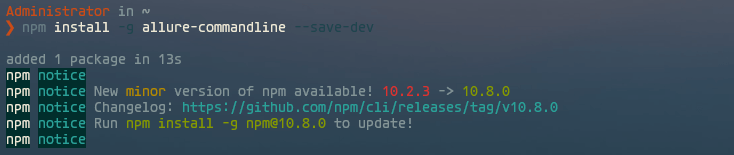
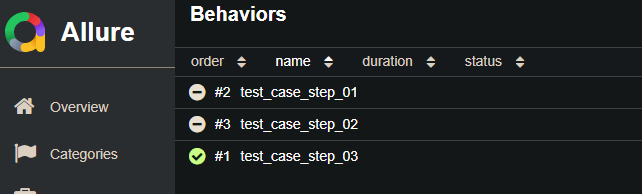
修复pytest-allure安装后无法使用allure指令的问题 本文最后更新于:2025年7月10日 晚上 1、问题现象在执行pip install pytest-allure安装完成allure后,出现无法识别allure指令的情况: 12allure: The term 'allure' is not recognized as a name of a cmdlet, function, script file, or executable program.Check the spelling of the name, or if a path was included, verify that the path is correct and try again. 2、解决方法安装allure命令行: 1npm install -g allure-commandline --save-dev 验证修复情况: 1allure --version 正常看到allure版本号则恢复正常: 后面则可以通过pytest生成allure测试报告了: 123pytest [测试用例] -s -q --alluredir=./result# 将测试结果生成静态页面allure serve ./result/ 参考: https://stackoverflow.com/questions/70885555/allure-report-generation-fails-with-message-allure-is-not-recognized-as-the-n https://www.npmjs.com/package/allure-commandline 测试技术 > 自动化测试 #Python #自动化测试 #pytest pytest-allure安装之后,无法使用allure指令问题解决 http://blog.codestar.top/testskill/pytest-allure-install-fix.html 作者 MINI小新 发布于 2024年5月28日 更新于 2025年7月10日 许可协议 AI Prompt工程师认证学习记录 上一篇 Centos 7.9如何使用源码编译安装curl最新版本 下一篇 Please enable JavaScript to view the comments